Study Abroad CRM Migration: Moving Off Spreadsheets
How a boutique study-abroad agency moves off spreadsheets into a CRM: a column-to-field map, a cleanup checklist, and when not to switch.
For a boutique study-abroad agency running 1–15 counsellors off spreadsheets, moving to a study abroad CRM is mostly a data-cleaning job, not a software project. The upload itself takes minutes. The work is deciding which columns become structured fields, removing the same student who shows up in three tabs, and agreeing on one pipeline everyone uses.
This guide is the migration companion to the decision question covered in study abroad CRM vs spreadsheets. It assumes you have decided to switch and want the concrete steps: a column-to-field map, a pre-import cleanup checklist, and an honest read on when a spreadsheet is still the right tool.
What does migrating from a spreadsheet to a study abroad CRM actually involve?
Three things, in order: clean the spreadsheet, map columns to CRM fields, then import in batches and check the skipped rows. None of it requires a developer. A 200-student spreadsheet is usually ready to import in an afternoon, and most of that time is spent merging duplicates and standardising stage names — not learning new software.
The reason migration feels risky is that a spreadsheet hides its own mess. Two counsellors enter the same student under two emails. A "Status" column has nine spellings of the same stage. A CRM forces those decisions up front, which is uncomfortable once and then permanent.
Which spreadsheet columns map to which CRM fields?
Map the columns that describe the student first — those import cleanly. Everything that describes an application (programme, intake, tuition, commission rate) is added after the student exists, because one student can hold several applications. In enrollo, a single student import accepts seven columns:
| Your spreadsheet column | CRM field | Notes |
|---|---|---|
| Student name | Name (required) | The only mandatory field. A row with no name is rejected and reported. |
| Used as the duplicate key. One clean email per student saves the most pain. | ||
| Phone / WhatsApp | Phone | Free text — keep the country code. |
| Nationality / Country | Nationality | Standardise to one spelling before import (UK vs United Kingdom). |
| Highest qualification | Education level | e.g. Bachelor, Diploma, High school. |
| GPA / Grade | GPA | Stored as text, so "3.4" and "First class" both import. |
| Where they came from | Lead source | Matches to website, referral, walk-in, fair, sub-agent, social media, or phone. Anything else is kept under "other". |
Columns the importer does not take — programme, intake month, offer status, deposit date, commission — are not lost. They belong on the application and document records you add to each student afterwards, where deadlines can actually be tracked. Park them in a "notes" column for now.
How do you clean a student spreadsheet before import?
Run this checklist on a copy of your spreadsheet before you upload anything. Each step removes a class of error the importer would otherwise reject or duplicate:
- One row per student. If a student appears once per application, collapse them to a single row — applications get added later.
- One header row, plain names. Delete merged cells, colour-coded legends, and summary rows at the bottom.
- One clean email each. Fix typos, drop duplicates, and pick the email the student actually replies to. This is the field the CRM uses to catch duplicates.
- Standardise nationality and qualification spellings so filters group them correctly later.
- Split full names only if you must — a single name column imports fine.
- Save as UTF-8 so accented names survive.
Skipping the email clean-up is the single most common cause of a messy import. The next section explains why.
What happens to duplicate students on import?
enrollo checks every imported email twice and skips the duplicate rather than creating a second record. It compares each row against students already in your workspace — including archived ones — and against the other rows in the same file. A skipped row is not silently dropped: it comes back with a reason, either "already exists in this organisation" or "duplicate within this import batch".
That is why the email column does the heavy lifting. Rows with no email always import, so two counsellors who both entered "Aisha Khan" with no address will create two records — the CRM cannot tell them apart. Clean emails first, import in batches of up to 100, and read the skipped list before you import the next batch.
Every student that does import lands in the first stage of your pipeline, is assigned to whoever ran the import, and gets a timeline note marking it as imported. From there the record is the single place that student's offer, deposit, and visa dates live.
What changes the day after you migrate?
The student stops living in your head. On a spreadsheet, an offer letter, a CAS, and a visa lodge date are three cells nobody reminds you about. In a CRM they hang off one student record, and the deadlines surface in a shared view instead of waiting to be remembered. That is the real payoff — not raw speed, but a deadline no longer depending on which counsellor opens the file.
Commission gets the same treatment. Instead of a "paid?" column you forget to update, each commission moves through its own status — pending, invoiced, collected — so the money you earned in March is visible in June. If commission is your main pain, education agent commission reconciliation goes deeper on that flow.
When is a spreadsheet still fine — and when won't a CRM help yet?
Honest answer: if you carry fewer than roughly 20 active students and one person sees every one of them, a spreadsheet is cheaper and faster, and a CRM mostly adds setup work. The case to switch starts when students outnumber the deadlines one person can hold in their head, or when a second counsellor joins and hand-offs start dropping dates.
"A spreadsheet is free — why pay?" The spreadsheet is free; the missed CAS deadline that cancels an enrolment is not. A CRM earns its cost the first time it surfaces a deadline you would have missed, and not before — so switch when the misses are real, not pre-emptively.
"Will I lose my data?" No. You import a copy; the original spreadsheet stays exactly as it is until you trust the CRM. A migration is reversible until the day you stop opening the file.
If you are weighing the CRM against other tools rather than against spreadsheets, education agent CRM vs Notion or Airtable and CRM options for 1–15 counsellor agencies cover those comparisons, and study abroad agency software for boutique agencies covers what the software needs to do at all. enrollo's own pricing is built for that 1–15 size.
A migration checklist
- Copy your spreadsheet — never import the original.
- Collapse to one row per student.
- Clean and de-duplicate the email column.
- Standardise nationality and qualification spellings.
- Map the seven student fields; park application and commission columns in notes.
- Import in batches of up to 100.
- Read the skipped list after each batch and fix the source rows.
- Add applications, documents, and deadlines to each student.
- Keep the spreadsheet until the CRM has run a full intake.
Written by the Enrollo team. We build a CRM for boutique study-abroad agencies, and the import behaviour described here is how the product works today.
Written by
Enrollo
Team
Related Articles
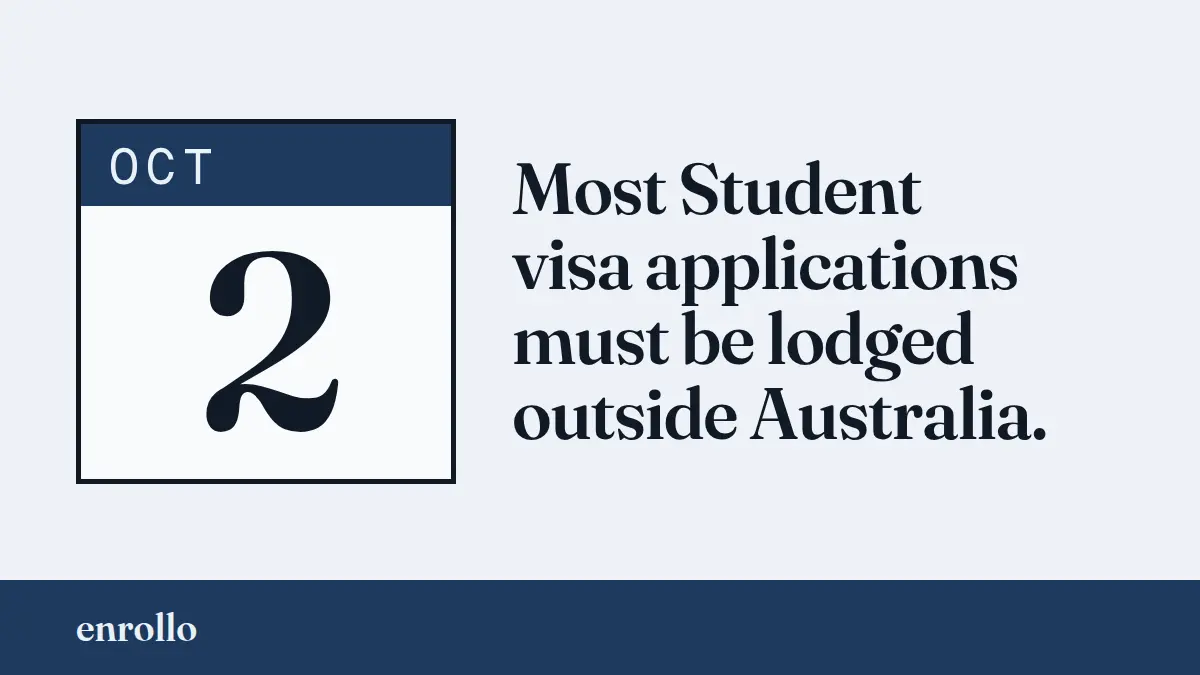
Australia's 2 October 2026 Student Visa Changes: What Education Agents Should Do Differently
From 2 October 2026, most people in Australia on a temporary visa can no longer lodge a Student visa there, and most applicants cannot include a partner or children. The six onshore exemptions, the family exemptions, a triage table and five checks for small agencies.

EducationLink Alternative for Boutique Education Agents
EducationLink’s own Pricing link opens Edvisor’s site. What the published numbers say for a 1–15 counsellor agency, where EducationLink is ahead of us, and where enrollo differs.

SmartX CRM Alternative for Boutique Education Agents
SmartX CRM publishes its prices, but three pages on its own site quote three different price shapes. An honest comparison for boutique agencies.
Ready to streamline your agency?
Track students, automate commissions, and never miss a deadline. Everything your study abroad agency needs in one place.
No credit card required